





Table of Contents
What is PMT 09?
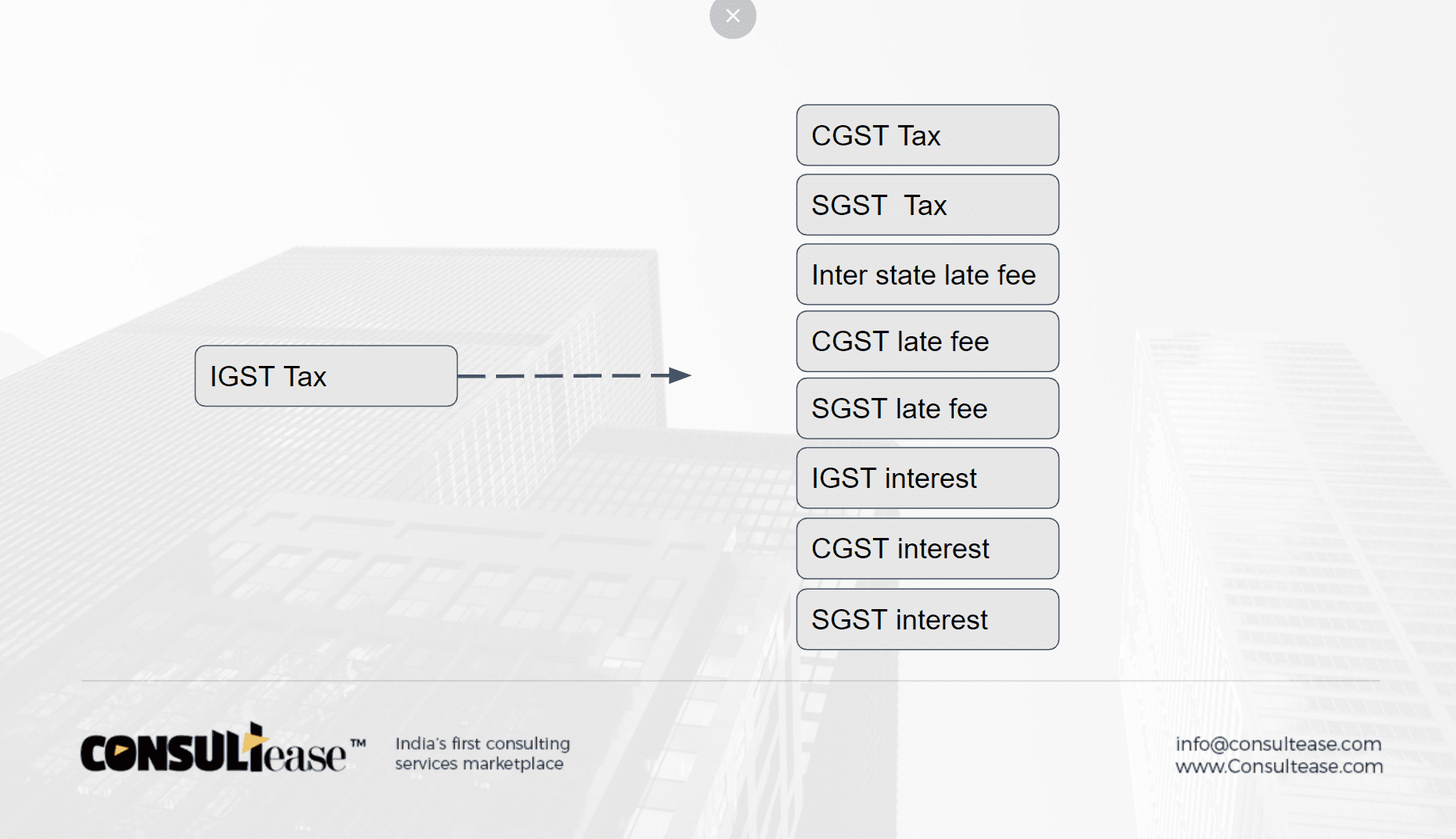
GST PMT 09 is the form to transfer the tax paid in the wrong head. It was waited for long. Now we can file GST PMT 09. The following transfers are possible. Below is the table for tax deposited in IGST.
From any Major head (Tax) to Other Major head.
Fromany major head to any Minor head.
From any minor head (fees, interest Penalty to other Minor head)
Froma minor head to Major Head.
On the same line, interest deposited in IGST can be shifted to IGST or any other tax, interest under any other head, and late fees under any head.
Read this article to understand PMT09. Also read FAQ’s on PMT 09
How to shift the tax from one head to another?
You simply need to select the head having a deposit. Then click on the head where you want to transfer. Now you need to file GST PMT 09.
Related Topic:
Place of Provision of Service Rules, 2012 (POPS)
How to file GST PMT 09 on the GSTN portal?
First of all, go to services and go to cash ledger. Here you will find the option to file GST PMT 09.
Then click on it and it will show you your ledger.
Step-1– Go to www.gst.gov.in and Log in to GST portal
Now Go to Dashboard
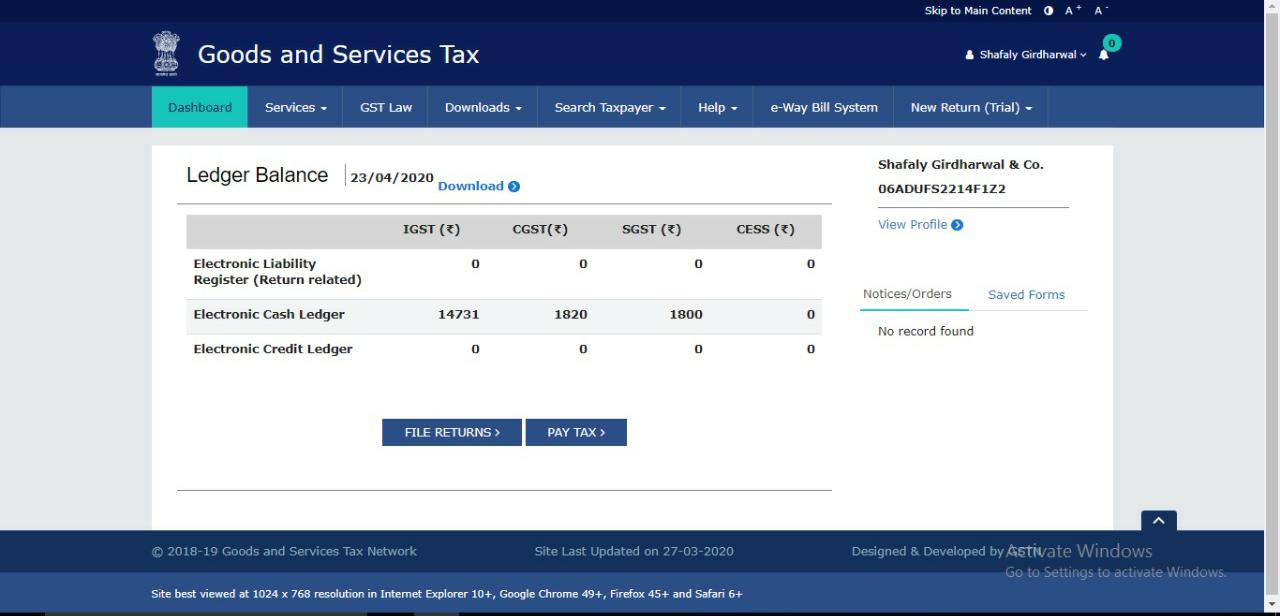
Step-2 Now under “Service” tab Go to “Ledger” tab and click on “Electronic Cash Ledger” option
It will redirect to electronic cash ledger
Step 3: Click on “File GST PMT 09 for transfer amount” option
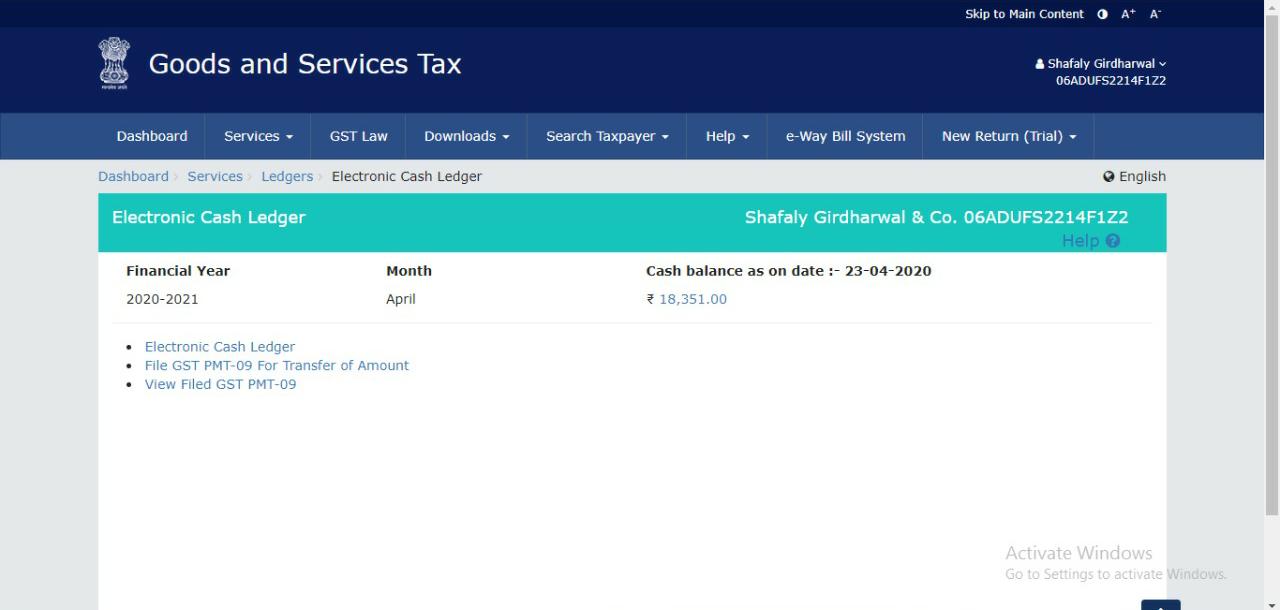
It will redirect you to PMT 09 form.
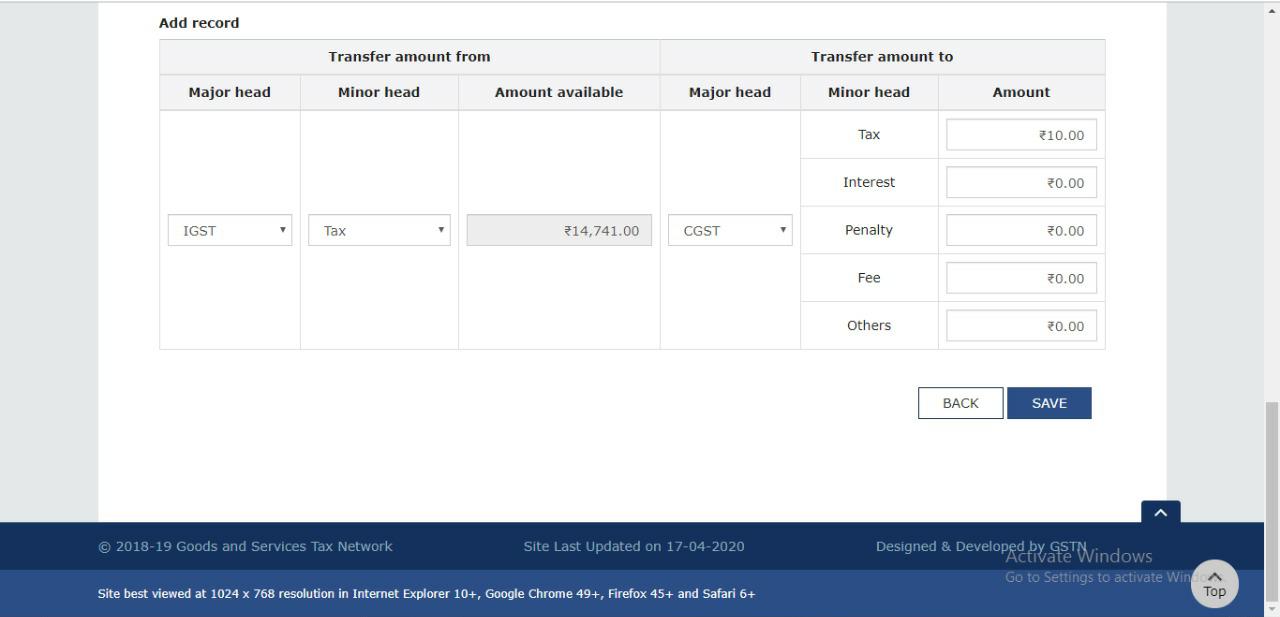
- Select the Major head from which the amount of tax to be transferred i.e. CGST, SGST, UTGST or IGST
- Now, select the “Minor head” from which the tax is to be transferred i.e. Tax, penalty, late fees or Interest.
- Now enter the amount which is to be transferred
- Now, select the Major head to which the amount of tax to be transferred i.e. CGST, SGST, UTGST or IGST
- Now enter the amount which is to be transferred in the minor head (amount entered in point no 3)
- Now click on “Save” button. This will save the record. After clicking save button a warning message will pop up which say, “Are you sure, the amount indicated as above is intended to be transferred? Click on “Yes” the process will get validated successfully
 Step-4 Filing of form:
Now click on “Proceed to file” button
- Select the “Terms and condition” Check box
- Select the authorized person from the drop down and click on “File GST PMT 09”
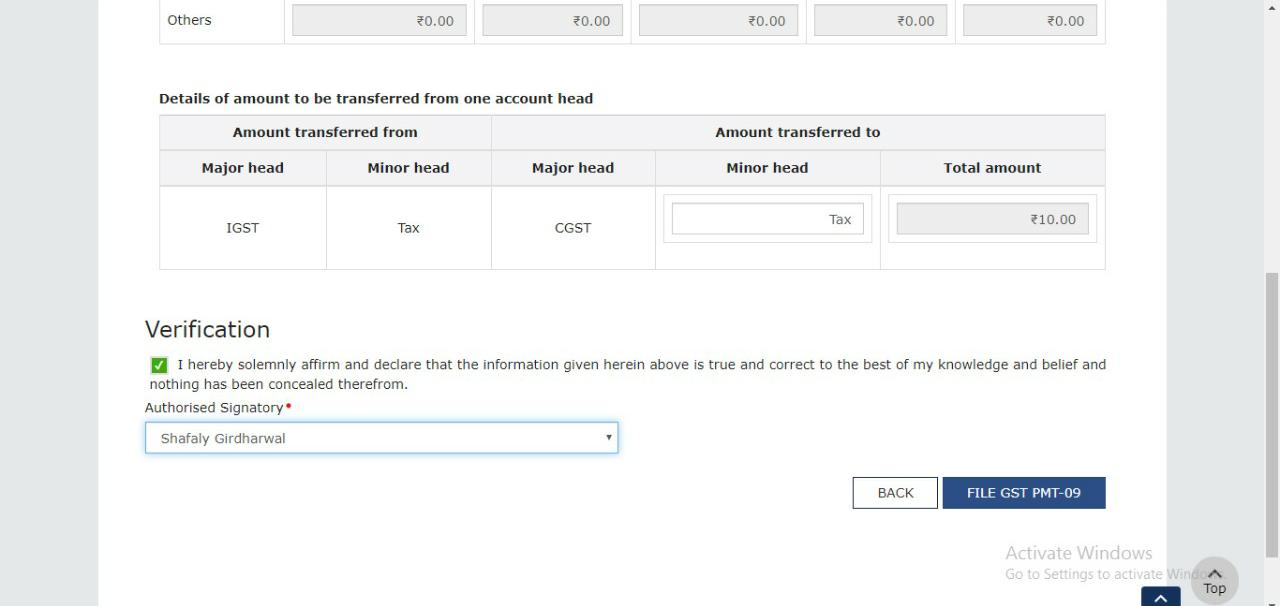
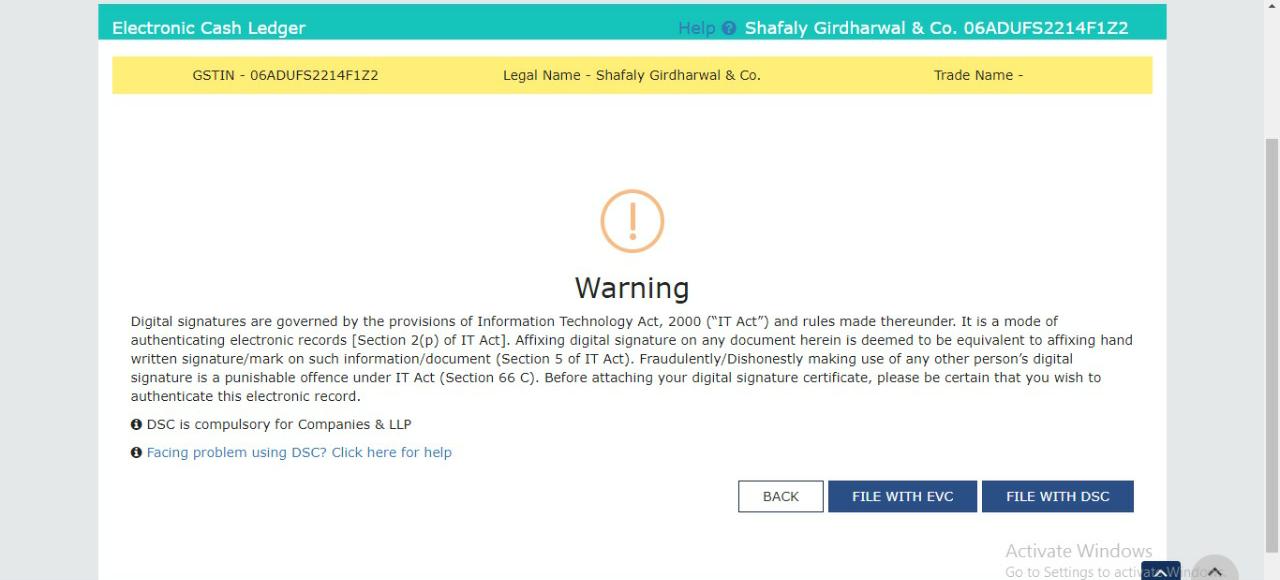
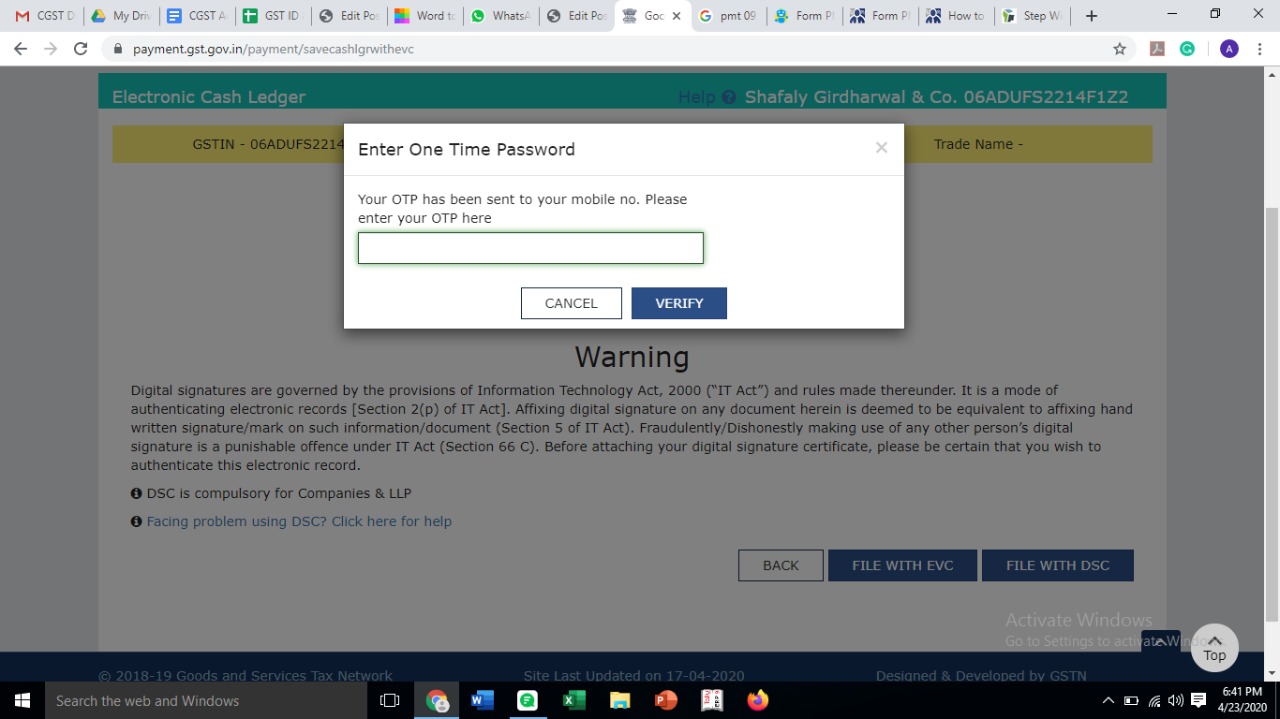
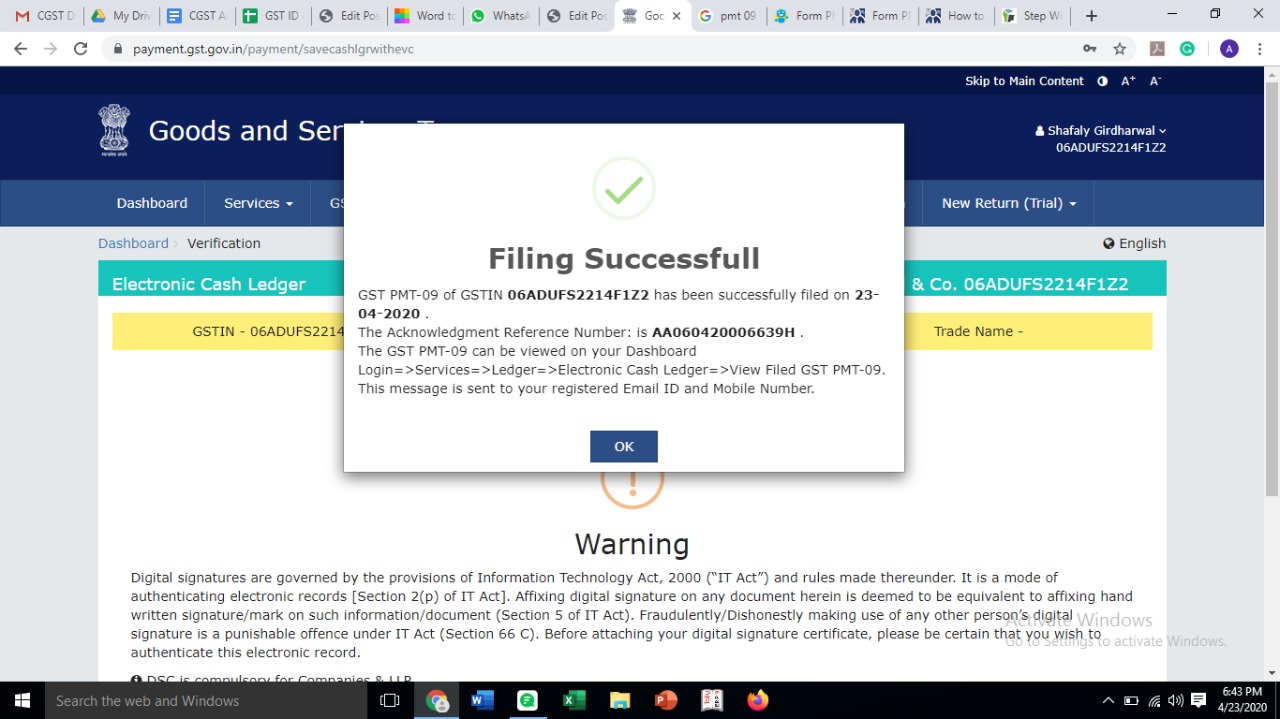
After clicking the button, a warning will pop will which is as follows “Are you sure, the amount(s) indicated as above is intended to be transferred? Click on “Yes”